
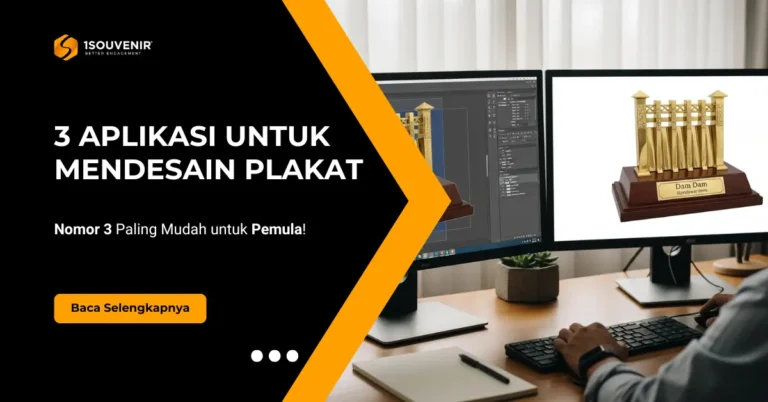
Jika Anda sedang ditugaskan kantor untuk mencari atau memesan plakat, biasanya tantangan pertama muncul saat diminta menyiapkan desain plakatnya. Banyak orang bingung harus mulai dari mana dan memakai aplikasi apa, apalagi jika acara yang diwakili adalah acara perusahaan, pemerintahan, atau lembaga pendidikan yang sifatnya formal.
Desain plakat yang kurang rapi bisa membuat hasil cetak terlihat murahan, teks tidak presisi, atau logo terlihat pecah. Untuk menghindari masalah itu, inilah 3 aplikasi terbaik untuk membuat desain plakat profesional—dan nomor 3 adalah yang paling mudah untuk pemula.
1. CorelDRAW — Standar Terbaik untuk Produksi Plakat
CorelDRAW adalah aplikasi yang paling banyak digunakan vendor plakat di Indonesia. Jika Anda ingin hasil yang langsung bisa diproduksi tanpa ribet, ini adalah pilihan paling aman.
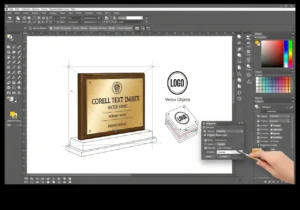
Kelebihan CorelDRAW:
-
Dipakai langsung oleh vendor plakat.
-
File .cdr bisa langsung masuk produksi.
-
Presisi tinggi untuk laser cutting, engraving, dan UV printing.
-
Logo dan teks tetap tajam karena berbasis vektor.
-
Cocok untuk acara perusahaan, instansi pemerintah, dan kampus.
Baca juga: 5 Template Desain Plakat Modern yang Wajib Anda Coba!
Cocok untuk Anda yang:
-
Ingin desain siap produksi.
-
Ingin tampil profesional di mata vendor.
-
Punya sedikit pengalaman desain.
2. Adobe Illustrator — Hasil Premium & Elegan
Illustrator memberikan hasil visual yang lebih mewah, elegan, dan modern. Aplikasi ini sering dipakai oleh desainer kreatif dan agensi branding.
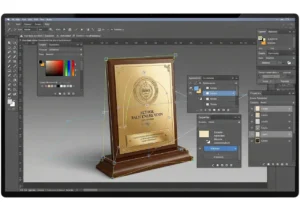
Kelebihan Illustrator:
-
Tampilan desain sangat halus dan tajam.
-
Fleksibel untuk layout dan tipografi.
-
Hasil terlihat premium dan profesional.
-
Vendor menerima file .ai atau .pdf.
Cocok untuk Anda yang:
-
Ingin plakat terlihat lebih mahal.
-
Membutuhkan desain yang artistik.
-
Sudah memegang aplikasi Adobe sebelumnya.
3. AI Tools — Solusi Paling Mudah untuk Pemula (Tanpa Skill Desain)
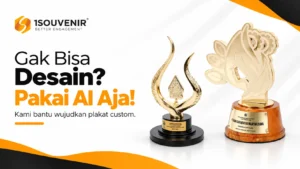
Jika Anda ditugaskan mendadak dan tidak bisa desain sama sekali, AI adalah solusi paling cepat. Anda cukup mengetikkan deskripsi, dan AI langsung membuatkan visualnya.
Kelebihan AI untuk desain plakat:
-
Tidak butuh pengalaman desain.
-
Bisa menghasilkan banyak pilihan desain dalam hitungan detik.
-
Sangat efektif untuk membuat konsep awal.
-
Vendor tinggal membuat ulang versinya di CorelDRAW.
-
Cocok untuk staf kantor, admin, panitia, sekretariat, dan HRD.
Contoh Prompt AI Siap Pakai / Tinggal Copy Paste
Prompt berikut bisa langsung dipakai untuk menghasilkan visual plakat yang sesuai kebutuhan. Prompt ini bisa Anda pakai di berbagai AI seperti Chat GPT, Gemini, dan lain-lain.
Baca juga: Tidak Bisa Desain Plakat? Buat Gambarnya dengan AI, Kami Bantu Wujudkan
Untuk Plakat Akrilik Modern
Berikut adalah contoh prompt siap pakai untuk menghasilkan desain plakat akrilik modern:
“A high-quality studio photograph of a modern acrylic award trophy with a clear transparent body. The trophy has a tall rectangular shape with a rounded arch top, made from thick polished acrylic that reflects light with smooth highlights and clean edges. Inside the acrylic, there is a printed vertical panel featuring teal green and orange geometric design elements, modern decorative patterns, and a circular emblem at the top. The front surface displays event branding with the text “NAMA ACARA ANDA”, followed by award title “JUARA 1”, and additional descriptive text in clean typography. The acrylic block stands on a glossy black rectangular base with sharp edges and mirror-like reflections. The object is photographed on a plain white studio background with soft diffused lighting that enhances the clarity and transparency of the acrylic, producing subtle realistic shadows beneath the base. Ultra-realistic, premium product photography, crisp details, no watermark, no external branding, no extra objects.”
Untuk Plakat Kayu + Metal Plate (Pemerintahan/Instansi)
Berikut adalah contoh prompt siap pakai untuk menghasilkan desain plakat kayu:
“A high-quality studio photograph of an elegant wooden plaque displayed inside a dark mahogany wood presentation box that is open at a 90-degree angle. The plaque has a rich glossy brown finish with smooth polished surfaces and sharp edges. At the center of the plaque is a large circular gold-and-blue emblem featuring a golden Garuda symbol in relief, surrounded by a blue ring with gold lettering and small gold stars. Below the emblem are two gold stars mounted neatly in a row. At the bottom is a rectangular brushed-gold nameplate with engraved black text. The box has decorative gold corner ornaments and a shiny brass latch at the top and bottom. The interior of the box is lined with dark navy or black velvet cushioning. The plaque is positioned upright, slightly leaned backward, with clean reflections on the glossy wood. The background is a clean white studio setting with soft, even lighting creating natural shadows under the box. Ultra-realistic product photography, high resolution, crisp details, no watermark, no branding, no extra objects.”
Untuk Plakat Pendidikan/Kampus
Berikut adalah contoh prompt siap pakai:
“A high-quality product photograph of a wooden shield-shaped plaque standing slightly tilted on a clean white studio background. The plaque is made from smooth light-brown polished wood with gentle grain texture and rounded edges. At the top center of the plaque, engraved in dark lettering, is the logo and text “Nama Perusahaan Anda”. Below it, there is a metallic silver plate in a curved shield form, perfectly fitted to the wooden base. The metal plate has fine engraved text describing an appreciation message, with subtle reflections and brushed stainless-steel texture. At the bottom of the metal plate, there is a circular engraved emblem featuring the portrait of Adam Smith, surrounded by the text “Adam Smith – 1723–2023 – 300 Year Anniversary”. The lighting is soft and even, with natural shadows on the right side of the plaque. The perspective shows the object at a 3/4 angle, capturing depth and thickness of the wooden shield. Ultra-realistic details, sharp focus, product photography, high-resolution, no watermark, no branding, no additional objects.”
Untuk Plakat Corporate Modern
Berikut adalah contoh prompt siap pakai:
“A high-quality studio photograph of a modern trophy displayed inside a rectangular matte-black open frame. The frame has thick, solid borders with a smooth, non-reflective surface and sharp edges. Inside the frame, floating at the center, is a decorative wayang-style mask artwork with bright red, white, and gold colors, intricate patterns, and a golden crown-like headpiece. The mask element is mounted on a small black pedestal that holds a brushed-gold metal nameplate. The nameplate features clean engraved black text and minimal geometric border accents. The entire trophy stands on a glossy white studio backdrop with soft, diffused lighting, creating gentle shadows beneath and inside the frame. The object is captured at a 3/4 angle, showing depth, thickness of the frame, and the floating effect of the decorative mask. Hyper-realistic details, crisp edges, premium product photography, absolutely no watermark, no branding, no additional objects.”
Untuk Acara Formal
Berikut adalah contoh prompt siap pakai:
“A high-quality studio photograph of a premium metal trophy featuring a detailed miniature golden dam structure mounted on a polished wooden base. The upper section is a sculpted architectural model in metallic gold representing a dam, complete with vertical gate columns, relief patterns, panel detailing, and a long horizontal top section with embossed text. The gold metal surface is smooth and mirror-reflective, with soft highlights and crisp edges. Beneath the dam sculpture is a solid dark-brown polished wooden base with a smooth glossy finish and slightly slanted sides. On the front of the wooden base is a brushed-gold nameplate displaying printed logos, text, and graphical elements in sharp detail. The trophy is photographed on a clean white studio background with soft diffused lighting that enhances the shine of the gold metal and the richness of the wood. The angle is 3/4 perspective, clearly showing the full dam silhouette, metal texture, and nameplate. Ultra-realistic product photography, high resolution, no watermark, no branding, no extra objects.”
Perbandingan Singkat Tiga Aplikasi
| Aplikasi | Level | Kelebihan | Kekurangan | Cocok Untuk |
| CorelDRAW | Menengah | File siap produksi | Perlu belajar sedikit | Pemesan yang ingin hasil presisi |
| Illustrator | Menengah | Tampilan premium | Butuh waktu belajar | Acara corporate & premium |
| AI Tools | Sangat mudah | Cepat, tanpa skill desain | Perlu dibuat ulang vendor | Pemula / tugas mendadak |
Kesimpulan
Anda tidak perlu menjadi desainer profesional untuk membuat desain plakat yang rapi dan berkelas. Pilih aplikasi sesuai kebutuhan:
-
CorelDRAW → Untuk hasil paling aman & siap produksi.
-
Illustrator → Untuk tampilan premium dan elegan.
-
AI Tools → Untuk yang butuh desain cepat tanpa kemampuan teknis.
Dengan tiga opsi sederhana ini, siapa pun yang ditugaskan memesan plakat bisa menyelesaikan pekerjaan dengan cepat, rapi, dan terlihat profesional.